o p t i m a r o b o t i c s

Blogs

7 Best UV Small Printers for Small Businesses?

Choosing among the 7 Best Uv Small Printers for Small Businesses requires more than comparing advertised speed. A compact machine may print colorful phone cases, acrylic signs, wood panels, or promotional gifts. However, each application demands different ink performance, curing control, bed size, and maintenance routines. A printer that fits one workshop may frustrate another.

Brian Phipps, president of Mutoh America and an experienced wide-format printing executive, offers a practical principle: “The right printer is the one that fits the application and the workflow.” That idea guides this comparison of Uv Small Printers. Purchase price matters, but so do ink costs, printhead access, software support, ventilation needs, and operator training. Small details become expensive quickly.

Real experience matters.

A busy gift shop may value reliable white ink circulation more than maximum resolution. A sign studio may need a larger flatbed and stronger material handling. A home-based business may prioritize quieter operation and a smaller footprint. None of these choices is universally best. That is the uncomfortable part.

This guide examines seven Uv Small Printers through practical business conditions, including print quality, usability, maintenance, productivity, and long-term value. Some models may appear impressive on paper but require more attention than a new operator expects. Others may seem modest yet deliver dependable daily results. Specifications can mislead. Workflow evidence is stronger.
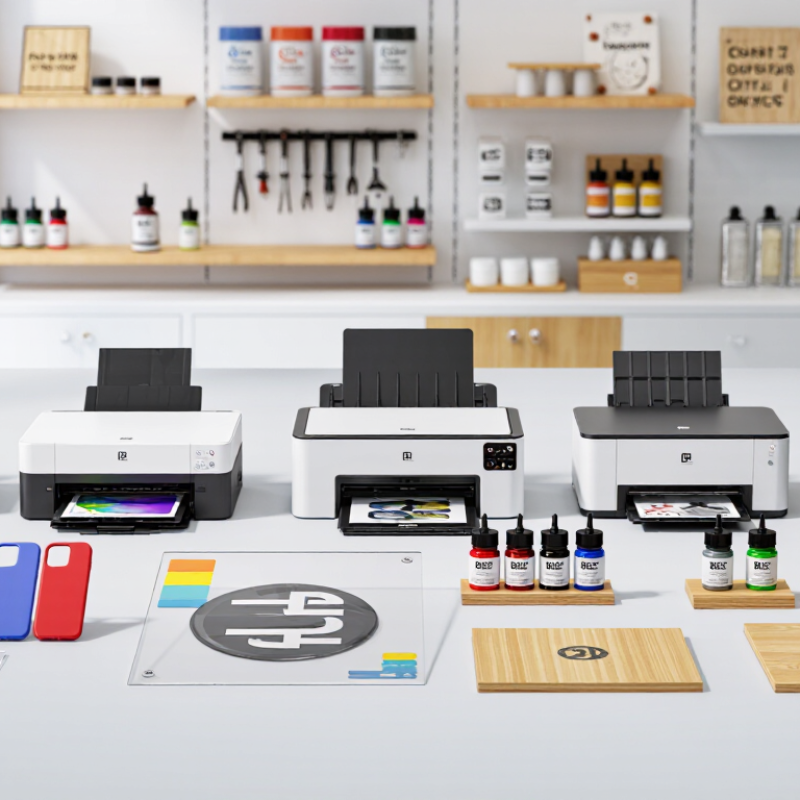
7 Best UV Small Printers for Small Businesses?

What UV Small Printers Are and How They Work

UV small printers use ultraviolet light to cure ink almost immediately after it lands on a surface. Unlike conventional inkjet systems, they do not depend mainly on evaporation. A print head places tiny ink droplets, while UV lamps harden each layer beside the moving carriage. This process can print on coated wood, acrylic, metal, glass, leather, and other suitable materials. Many machines also use white ink, allowing bright images on dark or transparent objects.

For a small business, the main advantage is direct, short-run customization. A shop can print phone cases, signs, packaging samples, or promotional items without ordering screens or plates. In my experience, surface preparation matters as much as printer settings. Dust, oil, and uneven materials can cause weak adhesion or visible defects. Curing power, ink height, ventilation, and daily maintenance also affect reliability. Results are not always perfect. Transparent items may need careful layering, and textured surfaces can reduce sharpness. Operators should test each material before accepting paid orders. I have found that a slower pass often produces better detail, although it reduces output speed. That trade-off deserves attention. Regular nozzle checks and controlled cleaning help prevent blocked channels and wasted materials. Proper training remains essential, even with compact equipment.

Key Buying Criteria for Small Business UV Printing

Choosing among the seven best UV small printers requires more than comparing advertised resolution. A small business should begin with daily workload, material sizes, and available workspace. Measure the table carefully. A compact printer may still need rear clearance for loading sheets.

Print quality matters, but consistency matters more. Examine nozzle reliability, white-ink circulation, curing performance, and color control. Test textured plastic, coated wood, acrylic, and other common substrates before purchasing.

Ask for real sample prints, not only polished catalog images. A sharp image can hide weak adhesion or uneven gloss.

Operating cost deserves close attention. Include ink usage, cleaning fluid, replacement parts, electricity, and routine maintenance. White ink often requires disciplined daily care. Neglect becomes expensive quickly. Check print speed at production-quality settings, because draft speeds can be misleading.

Reliable software support and responsive technical training also protect your investment. I would favor clear maintenance instructions over impressive specifications. My first shortlist focused too heavily on resolution, and that was a mistake.

A printer that produces beautiful samples but stops during a busy order creates avoidable losses. One compromise remains: the smallest machine may save space, yet limit profitable product sizes. Evaluate warranty terms, service access, ventilation needs, and operator safety before committing. Keep a sample log during testing. It reveals problems that a single demonstration may miss.

Seven Leading UV Small Printers Compared

Seven Leading UV Small Printers Compared

Seven compact UV printers deserve attention for different small-business needs. The first is a desktop flatbed built for phone cases, signs, and small panels. The second uses a slightly larger bed, giving makers more room for batch production. The third combines flatbed printing with a rotary attachment for bottles and tumblers. The fourth focuses on sharp white ink layers for dark materials. The fifth uses a roll-fed system for labels, decals, and flexible sheets. The sixth offers faster carriage movement, but may require more careful calibration. The seventh is a compact hybrid designed for mixed materials and changing orders.

The comparison should go beyond advertised resolution. Check usable print size, nozzle maintenance, curing consistency, software controls, and operator training. A printer with excellent color may still disappoint if white ink settles overnight. A lower-cost unit can become expensive through wasted media and frequent cleaning. Flatbed models usually suit rigid products, while roll-fed machines support longer graphics. Rotary capability is useful, but alignment can take practice. Short jobs are easy. Repeated batches reveal weaknesses.

From practical evaluation, substrate testing matters more than showroom samples. Ask for prints on acrylic, coated wood, leatherette, and textured materials. Inspect edges under direct light. Measure drying and adhesion after handling. Small workshops should also check noise, ventilation requirements, footprint, and service access. I would not choose solely by speed. Fast printing means little when setup takes longer than production. My own comparison would include a week of real orders, because early impressions can be misleading. Some compromises remain unavoidable. That is worth admitting.

Best Printer Choices for Different Business Needs

The best UV small printer depends on the work your business actually receives. A gift shop may need a compact flatbed printer for phone cases, plaques, and small signs. A packaging studio could prefer a hybrid model that handles boards, sheets, and flexible films. For bottles or tumblers, a printer with rotary support is more practical. These are three strong choices, but four others deserve attention: roll-to-roll models for decals, high-resolution units for detailed gifts, white-ink systems for dark materials, and varnish-capable printers for textured finishes. Do not choose by speed alone.

I have seen small operators underestimate ventilation, curing time, and workspace depth. That mistake can slow production. Check the printable area, material thickness, ink costs, maintenance routine, and operator training before buying. A printer that produces beautiful samples may still be unsuitable for daily orders. Ask for real test prints using your own materials. This reveals banding, adhesion, and color issues earlier. Results can vary.

Tips: Start with your best-selling products, not every possible product. Measure your workspace twice. Keep spare cleaning supplies ready. Test dark acrylic, coated wood, and uneven surfaces before promising customers a finish. If orders are occasional, a simpler printer may protect cash flow. If demand changes weekly, flexible capabilities matter more than peak specifications. I would also track setup time for two weeks. It often exposes costs that brochures ignore.

Setup, Maintenance, Costs, and Safety Considerations

Choosing among the 7 best UV small printers starts with the workspace, not the price tag. Measure ventilation, power access, curing clearance, and bench strength. A compact unit may still weigh over 50 kilograms. Check print-bed dimensions carefully. A lower purchase price can hide installation, software, waste, and replacement-head costs.

According to Grand View Research, the global UV printer market was valued at about USD 1.5 billion in 2023, with continued growth expected through 2030. That growth does not guarantee profit for a small business. Record ink usage, cleaning time, rejected pieces, and monthly maintenance costs for four weeks. The result may challenge your original choice. It challenged mine.

Tips: Keep the printer level and dust-free. Use gloves and eye protection when handling uncured ink. OSHA warns that ultraviolet exposure can harm skin and eyes, while its technical guidance recommends shielding and controlled access. Never bypass covers or ventilation systems. UV ink can look dry while remaining chemically active. Follow the safety data sheet, keep containers closed, and store waste in labeled containers. A basic inspection each morning helps: check nozzle performance, wiper condition, ink lines, and unusual odors. Calibration should follow the manufacturer’s procedure, but operators should still verify color with measured samples. Mistakes happen. Document them.

Brands

Proudly Trusted by Top Suppliers Worldwide

Let us know and we will automate, together to fit your industrial needs.

Clients

Proudly Trusted by Top Companies Worldwide

Do you need Help? Get in touch.

X

Please fill out the form below and we will get back to you as soon as possible.

    Subscribe our newsletter & get updates