o
p
t
i
m
a
r
o
b
o
t
i
c
s

Make a Call


Make a Call
Blogs
How to Choose the Best VR Movie Theater in 2026?
Choosing the right Vr Movie Theater in 2026 requires more than comparing ticket prices. The experience depends on equipment, content quality, hygiene, staff training, and physical comfort. A modern venue should offer clear headset lenses, adjustable straps, clean facial interfaces, and stable tracking. Small details matter.
Industry reports show why this choice deserves careful attention. Grand View Research estimated the global virtual reality market at approximately $59.96 billion in 2023. It also projected strong growth through 2030. This figure covers gaming, training, healthcare, and entertainment, not theaters alone. The distinction is important. PwC’s Global Entertainment & Media Outlook 2024–2028 also identifies immersive formats as part of a wider shift toward interactive media experiences. However, forecasts are not guarantees. Market definitions can vary, and some projections may age quickly.
A reliable Vr Movie Theater should therefore be judged through practical evidence. Look for recent customer reviews describing headset weight, image sharpness, queue times, and motion comfort. Ask whether the venue provides seated options and accessibility support. Check how frequently it cleans shared equipment. The best locations explain age guidance, session length, and refund policies before purchase. Staff should calibrate each headset and respond calmly when tracking fails. That happens. A venue may advertise premium visuals, yet weak sound or uncomfortable seating can ruin the story. Compare independent reviews with the theater’s own claims. Choose the place that demonstrates care, transparency, and consistent operation, not merely the most impressive promotional trailer.
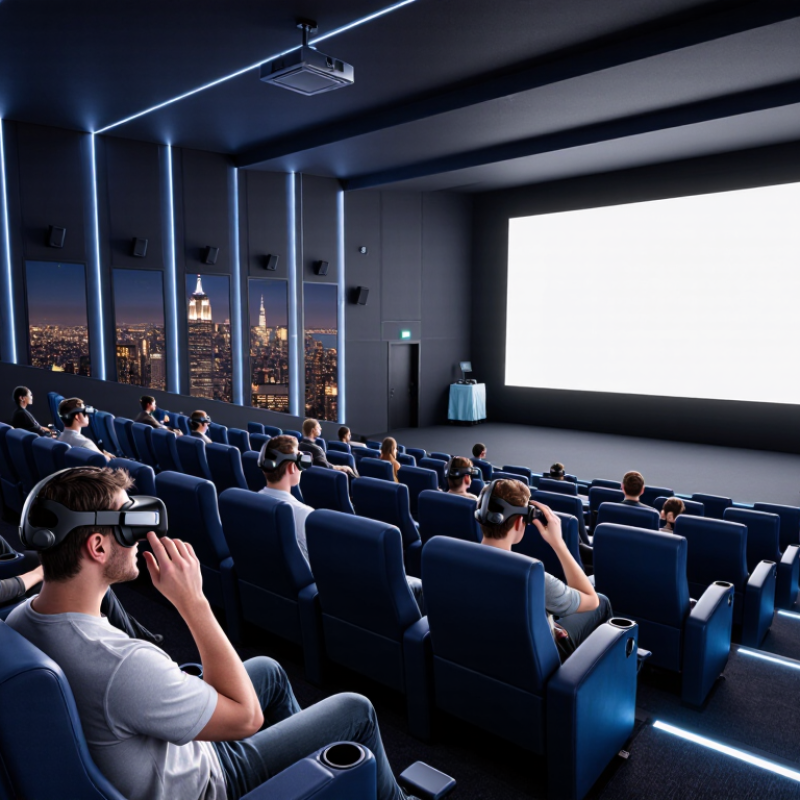
Table of Contents [Hide]
Define Theater Types with Grand View Research’s 27.5% VR CAGR Forecast
How to Choose the Best VR Movie Theater in 2026?
Grand View Research projects a 27.5% CAGR for the VR market from 2024 to 2030. This forecast suggests stronger demand for immersive entertainment, including VR movie theaters. Yet, growth does not make every venue suitable. The categories are not perfectly clean.
A seated panoramic theater suits viewers who want a film-like experience with minimal movement. Free-roam rooms work better for interactive stories and small groups. Private VR pods offer quieter viewing, sharper personal control, and fewer distractions.
Check resolution, headset weight, ventilation, seat support, and session length. A dark room with poor airflow can ruin an excellent film. I learned that the hard way.
Tips:
Ask whether the venue uses cinematic VR or game-style content. Confirm the headset’s field of view and available language options. Look for clear cleaning procedures and trained staff.
Grand View Research provides a powerful market signal, but forecasts can miss local demand. PwC’s Global Entertainment & Media Outlook 2024–2028 also projects worldwide entertainment and media revenue will reach about $3.4 trillion in 2028. That wider figure supports investment, but it does not guarantee a satisfying theater visit.
Personally, I would test a short session before booking a long one. Comfort still wins.
Brands
Proudly Trusted by Top Suppliers Worldwide







Let us know and we will automate, together to fit your industrial needs.
 +91-97254 16844
Clients
Proudly Trusted by Top Companies Worldwide


Do you need Help? Get in touch.
X
Please fill out the form below and we will get back to you as soon as possible.