o
p
t
i
m
a
r
o
b
o
t
i
c
s

Make a Call


Make a Call
Blogs
What Is the Best Study Furniture for Students?
Choosing the best Study Furniture for students is less about buying a matching set. It is about creating a comfortable place to focus, write, read, and use a screen. A desk with enough clear space and a supportive chair can make long assignments easier. Good lighting matters too; a lamp should brighten notes without casting glare on a laptop. Small details count. A bag hook, drawer, or footrest may keep clutter from spreading across the work surface. Yet even a carefully arranged room cannot remove every distraction or guarantee better grades. That distinction matters.
This guide explores Study Furniture through practical factors: desk size, chair support, storage, lighting, adjustability, and budget. Instead of naming one setup as perfect for everyone, it considers room limits, study habits, and everyday comfort. A student in a small bedroom may need a compact desk near the wall; someone using textbooks and a monitor may need more surface space. Measuring the room and checking chair height can offer more useful clues than attractive product photos alone. A chair may look supportive and still feel uncomfortable after an hour. I may be giving furniture too much credit here: routines, breaks, and sleep also influence concentration. The aim is practical, not perfect. Use these points to find a setup that fits your space now and can adapt as your needs change.
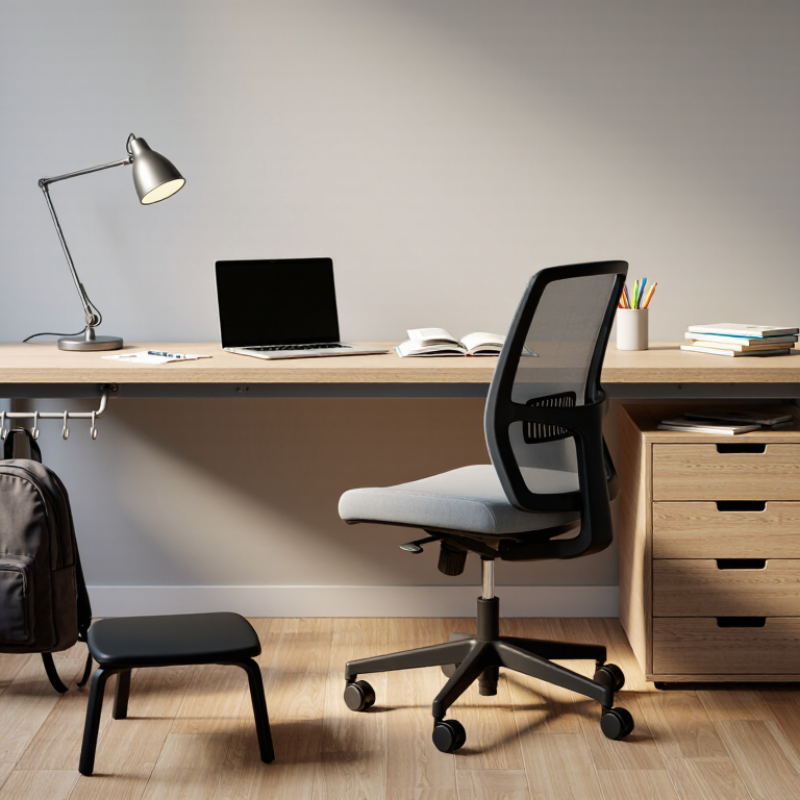
Table of Contents [Hide]
Assess Study Needs and Room Fit Before Choosing Furniture
What Is the Best Study Furniture for Students?
Assess Study Needs and Room Fit Before Choosing Furniture
Start with the work, then measure the room. A student who mainly uses a laptop needs less desk depth than someone spreading out textbooks, notebooks, and a lamp. Measure the wall, doorway, and chair clearance before buying. Measure twice. The U.S. Environmental Protection Agency estimates that people spend about 90% of their time indoors, so keeping the study area comfortable and well ventilated matters. Avoid placing furniture where it blocks a window, vent, or walking route.
Fit the chair and screen to the student, not just the floor plan. Cornell University’s ergonomics guidance recommends placing a monitor roughly 18–30 inches from the eyes, with its top near eye level. An adjustable chair can help accommodate growth and different users, while a compact desk may suit a narrow bedroom. But compact can become cramped. A neat layout on paper may still feel awkward once books and cables are in place.
Brands
Proudly Trusted by Top Suppliers Worldwide







Let us know and we will automate, together to fit your industrial needs.
 +91-97254 16844
Clients
Proudly Trusted by Top Companies Worldwide


Do you need Help? Get in touch.
X
Please fill out the form below and we will get back to you as soon as possible.