o
p
t
i
m
a
r
o
b
o
t
i
c
s

Make a Call


Make a Call
Blogs
7 Tips for Choosing the Best Directional Antenna
A weak wireless link can make a capable network feel unreliable. A Directional Antenna helps focus radio energy toward a chosen point, but choosing one involves more than picking the highest gain on a product page. Frequency range, beamwidth, polarization, connector type, mounting options, and the path between the antenna and its target all matter. A rooftop unit aimed across a valley faces different conditions from a compact antenna serving a workshop.
The scale of connectivity makes those choices significant. The GSMA’s Mobile Economy 2024 report estimates that mobile technologies and services contributed 5.4% of global GDP in 2023, or $5.7 trillion. That figure does not measure antenna performance, but it shows how much depends on reliable wireless infrastructure. Antenna theorist Constantine A. Balanis describes an antenna as “a transitional structure between free-space and a guiding device.” That transition deserves careful thought.
This guide presents seven practical tips for choosing the best Directional Antenna. It covers matching frequency bands, interpreting gain and beamwidth, checking polarization, and assessing cable loss and installation conditions. A compass, a clear line of sight, and a signal meter can help during setup. Small details matter.
Specifications still have limits. Real-world performance can fall short when trees, walls, interference, or poor alignment alter the signal path. I would not treat a published gain figure as a promise. Compare the manufacturer’s data with your site conditions, and leave room to reassess after installation.
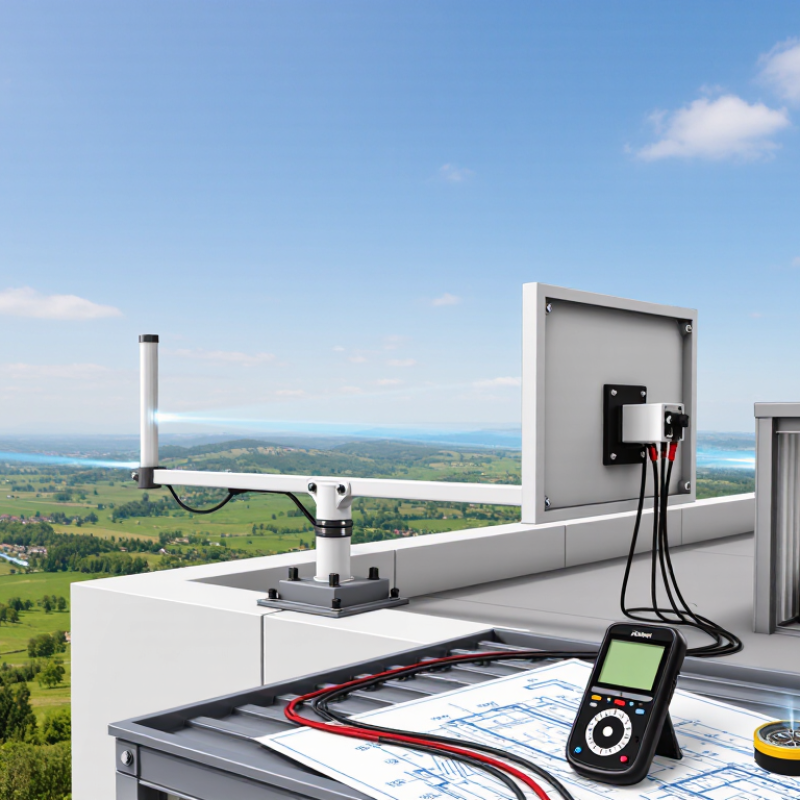
Table of Contents [Hide]
Identify the Frequency Bands and Signal Sources You Need
Before choosing a directional antenna, identify the signal you actually need to receive or transmit. Check the equipment manual, service documentation, or a reliable frequency listing for its operating band. A signal at 900 MHz needs a different antenna design from one at 2.4 GHz. “Close enough” can mean weaker reception and wasted time.
Tip: Write down each frequency and signal source. Note whether you need one source or several, and whether they are fixed or move around. A directional antenna focuses its coverage, so aiming toward the wrong tower, access point, or transmitter can make reception worse. If you are unsure, compare readings at a few positions before mounting it permanently.
For multiple sources, check whether they share a supported band; one antenna may not perform equally well across all frequencies. Look at the antenna’s stated frequency range, gain, and polarization, then compare those details with your device and signal conditions. Nearby walls, trees, and other transmitters can affect results. Real-world readings may be messier than the specifications suggest. That is worth remembering. A simple frequency scan or a careful test with temporary mounting can reveal a mismatch before you drill holes or route cable.
7 Tips for Choosing the Best Directional Antenna - Identify the Frequency Bands and Signal Sources You Need
| Tip | Signal source and example band | Approx. wavelength | Directional antenna guidance | What to verify |
|---|---|---|---|---|
| 1. Identify the exact service | FM broadcast: commonly 88–108 MHz | About 2.8–3.4 m | A Yagi-style antenna can improve reception from a known transmitter direction. | Confirm the local station frequency and transmitter location; broadcast allocations can vary by country. |
| 2. Check the actual channel range | Terrestrial TV: VHF and UHF; in the U.S., current broadcast allocations include 54–216 MHz and 470–608 MHz, with channel gaps | Roughly 0.5–5.6 m across these ranges | Choose a TV antenna designed for the needed VHF, UHF, or combined range. | Use the broadcast channel frequencies for your location, not just the channel numbers; allocations differ internationally. |
| 3. Match the antenna to the band | Wi-Fi: 2.4 GHz (about 2.400–2.4835 GHz); 5 GHz and 6 GHz ranges depend on local rules | About 12.5 cm at 2.4 GHz; 5–6 cm near 5–6 GHz | A directional panel or other band-specific antenna may help connect to a fixed access point. | Check supported frequencies, channel restrictions, connector compatibility, and whether the antenna covers all bands you use. |
| 4. Allow for cellular band variation | Cellular LTE and 5G sub-6 networks use multiple bands across roughly 600 MHz to 6 GHz, depending on country and carrier | About 5 cm–50 cm across this broad range | A directional panel or log-periodic antenna can be useful when aiming toward a known cell site. | Check the modem’s supported bands and the local network bands; “5G” alone does not identify a frequency. |
| 5. Confirm the signal’s polarization | Point-to-point radio links and broadcast services can use horizontal, vertical, or dual polarization | Depends on the operating frequency | Align the antenna polarization with the transmitting antenna; a mismatch can reduce received signal strength. | Check the transmitter or service documentation and maintain the correct antenna orientation. |
| 6. Balance gain with beamwidth | Fixed links, remote access points, and distant broadcast transmitters | Depends on the selected band | Higher-gain designs generally have a narrower beam and require more precise aiming. | Compare gain and beamwidth together; consider how accurately and steadily the antenna can be aimed. |
| 7. Check whether directionality suits the source | GNSS positioning signals, including GPS L1 at 1575.42 MHz | About 19 cm | Ordinary GNSS receivers typically need a broad view of the sky; a narrow directional antenna is generally not suitable for routine positioning. | Use a directional GNSS antenna only for a specialized application that supports tracking or controlled reception. |
Wavelengths are approximate, calculated using the speed of light. Frequency allocations and permitted equipment vary by region; verify local regulations and the exact frequencies used by the signal source.
Brands
Proudly Trusted by Top Suppliers Worldwide






Let us know and we will automate, together to fit your industrial needs.
 +91-97254 16844
Clients
Proudly Trusted by Top Companies Worldwide


Do you need Help? Get in touch.
X
Please fill out the form below and we will get back to you as soon as possible.