o
p
t
i
m
a
r
o
b
o
t
i
c
s

Make a Call


Make a Call
Blogs
Why Choose an Engraving Laser Machine?
Choosing the right production tool can shape quality, speed, and customer trust. An Engraving Laser Machine offers precise marking across wood, acrylic, leather, coated metals, glass, and other approved materials. Its focused beam creates clean lines, readable text, and detailed patterns. A small nameplate can show the difference: sharp corners, consistent spacing, and fewer manual corrections.
The practical value becomes clearer in daily work. Digital designs can move from software to finished products with repeatable settings. Operators can adjust power, speed, and focus for each material. This reduces guesswork, although it does not remove it completely. Every surface reacts differently. Even two wood sheets may produce different shades or smoke levels. Careful testing remains necessary.
Experienced users also consider ventilation, lens cleaning, alignment, and emergency procedures. These details protect equipment and support safer operation. They also help businesses follow local workplace and environmental requirements. Reliable manufacturers provide specifications, training resources, and realistic performance guidance. Independent reviews and sample testing can strengthen purchasing decisions. A lower price is not always a lower cost. Maintenance, software limits, consumables, and operator time matter too.
An Engraving Laser Machine may suit workshops, retailers, schools, and custom-product businesses. It can support personalization without requiring a large production line. The best choice depends on material compatibility, workspace, budget, and expected workload. Start with a clear sample. Measure the result. Improve the process. That is where the machine’s real value becomes visible.
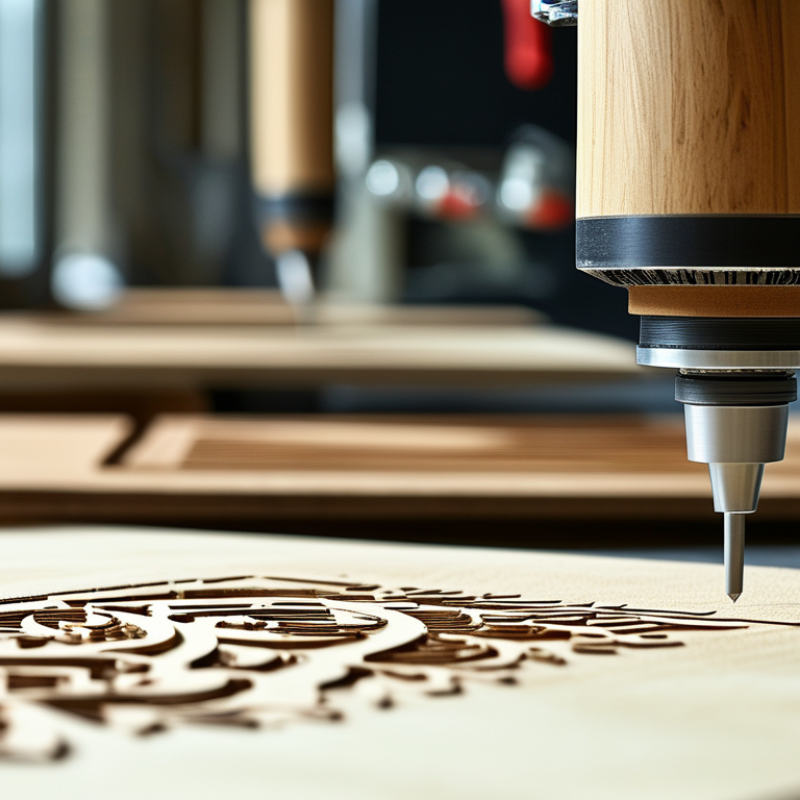
Table of Contents [Hide]
What Is an Engraving Laser Machine?
What Is an Engraving Laser Machine?
An engraving laser machine uses a focused light beam to remove, discolor, or modify a material’s surface. A controller guides the beam along programmed paths. The result can be text, serial numbers, patterns, or shallow grooves. Unlike a mechanical cutter, it usually works without physical contact. That means fewer tool marks and less pressure on thin parts.
In practical workshops, the machine combines a laser source, focusing lens, motion system, software, and extraction equipment. The material still matters. Wood may darken, metal may need marking spray, and some plastics can release harmful fumes. Operators must check material safety data before testing. The International Organization for Standardization describes laser-related measurement terms in ISO 11145:2018, supporting consistent technical communication. This detail is easy to overlook.
Industry demand also shows why the equipment attracts attention. MarketsandMarkets estimated the global laser marking market at about USD 3.1 billion in 2023. Its report projected growth to roughly USD 5.3 billion by 2028. These figures include several marking technologies, not only engraving machines. That distinction matters. A market report is useful, but it cannot predict every workshop’s results.
An engraving laser machine can produce repeatable detail on signs, tools, panels, and components. Yet accuracy depends on focus, speed, power, material, and operator experience. Higher power is not automatically better. Sometimes, it simply creates excessive heat and a rough edge. Testing a small sample remains the most reliable step.
Why Choose an Engraving Laser Machine? - What Is an Engraving Laser Machine?
| Data Dimension | What It Means | Typical Information | Why It Matters |
|---|---|---|---|
| Basic Definition | A computer-controlled machine that uses a focused laser beam to remove, discolor, or modify the surface of a material. | Common processes include surface marking, shallow engraving, deep engraving, and cutting. | It provides repeatable results without physical contact between the tool and the workpiece. |
| Laser Source | The laser type determines which materials absorb the beam efficiently. | CO₂: commonly around 9.3–10.6 µm; Fiber: commonly around 1,064 nm; Diode: commonly around 445–455 nm. | Matching the wavelength to the material improves marking quality and process efficiency. |
| Suitable Materials | Different laser sources are suited to different material groups. | Wood, paper, acrylic, leather, glass, coated materials, plastics, and many metals can be processed when the laser source and settings are appropriate. | Material compatibility helps prevent poor contrast, melting, cracking, or unwanted fumes. |
| Engraving Depth | The amount of material removed from the surface. | Surface marking may change appearance with minimal material removal; deeper engraving requires multiple passes or higher process energy. | Depth affects appearance, tactile feel, processing time, and dimensional accuracy. |
| Working Area | The maximum surface size that can be processed in one setup. | Available areas vary widely, from compact desktop formats to large-bed systems. | A suitable work area reduces repositioning and supports the size of the intended products. |
| Accuracy and Repeatability | The machine’s ability to reproduce the same design and position consistently. | Performance depends on the motion system, focusing method, calibration, material flatness, and software settings. | Consistent positioning is valuable for logos, serial numbers, patterns, and batch production. |
| Non-Contact Processing | The beam processes the surface without a cutting blade or engraving bit touching it. | There is no cutting-tool edge to sharpen or replace during normal operation. | This can reduce tool wear, mechanical pressure, and deformation of delicate parts. |
| Software and File Support | Design software converts artwork or text into machine movement and laser instructions. | Common workflows use vector files for outlines and raster images for shaded or photographic engraving. | Flexible file handling makes it easier to create text, graphics, barcodes, and variable data. |
| Production Efficiency | The amount of work completed within a given time. | Throughput is influenced by laser power, scan speed, image resolution, engraving depth, and the number of passes. | Optimized settings can shorten processing time while maintaining contrast and detail. |
| Customization Capability | The ability to produce different designs without making a physical tool for each pattern. | Text, graphics, numbering, QR codes, names, and variable designs can be changed digitally. | It supports personalization, short runs, prototypes, and on-demand production. |
| Safety Requirements | Laser engraving requires controls that limit exposure to the beam and manage processing by-products. | Appropriate guarding, ventilation or fume extraction, eye protection where required, fire precautions, and trained operation are important. | Safety controls protect operators and help maintain a suitable working environment. |
| Best-Fit Applications | Typical uses for laser engraving technology. | Signage, gifts, product identification, decorative panels, packaging, craft products, industrial traceability, and prototype work. | The technology is useful when clean detail, digital flexibility, and repeatable personalization are priorities. |
Note: Actual engraving results depend on the laser source, optical configuration, material composition, surface finish, power, speed, focus, and ventilation conditions. Material testing is recommended before production.
Brands
Proudly Trusted by Top Suppliers Worldwide




Let us know and we will automate, together to fit your industrial needs.
 +91-97254 16844
Clients
Proudly Trusted by Top Companies Worldwide


Do you need Help? Get in touch.
X
Please fill out the form below and we will get back to you as soon as possible.